Turning an AI conversation into something a friend can read
A long chat may contain only a few parts worth sharing. This extension starts with selecting those parts and making their context clear.
和 AI 聊完一个问题,往往会留下很长一段记录。里面有结论,也有反复追问、纠正和临时想到的岔路。
自己从头聊下来,知道每一段在说什么。换成一个没有参与过这段对话的朋友,直接从中间开始读,未必容易接上。想分享的时候,问题就变成了:到底把什么交给对方看?
先选内容,再谈摘要
我做“AI 对话精选与本地分享”,先处理的是选择。
哪些消息值得保留,哪些只是过程中的试探,哪些含有不适合发出去的信息,都应该在整理前看一遍。原网页里能选中的内容也有范围:还没加载出来的历史消息,不能因为叫“导出”就假定已经包含了。
选好以后,再决定要不要摘要。有时原文已经很清楚,只需要补一句背景;有时讨论绕了很久,才需要先写一个回顾。摘要是帮助理解的,不应该把原文里犹豫、条件和不同意见全部压成一个肯定的结论。
让摘要和原文各做自己的事
这个插件把摘要和原文分开保留,也允许一起导出。
摘要适合先读:在讨论什么、最后得到什么、哪些事情还没有定。原文则留给想看具体过程的人。如果摘要写得不准确,可以直接修改,再回头对照原文,而不是把生成结果当成最后版本。
需要生成回顾时,仍然使用原 AI 平台及其账号和额度。选择、编辑和导出在本地,并不意味着生成摘要也完全离线。这一层区别,项目页会写清楚。
普通文件,往往就够了
我希望整理后的东西不只依附于某一个聊天页面,所以准备了 Markdown、TXT 和 PDF。
Markdown 方便继续修改,TXT 足够简单,PDF 则更适合直接阅读。涉及图片时,PDF 可以把图片放进页面;带图的 Markdown 或 TXT 会把正文和图片文件一起打包。选哪一种,取决于朋友准备怎样看,而不在于格式本身复杂不复杂。
发出去以前,最后再检查一次:背景够不够,摘要有没有说过头,原文里有没有名字、密钥或不想公开的内容。工具可以减少整理的动作,但这一步仍然需要自己看。
这也是我想做这个插件的原因。让一段值得留下的对话,变成一份能好好读的东西。
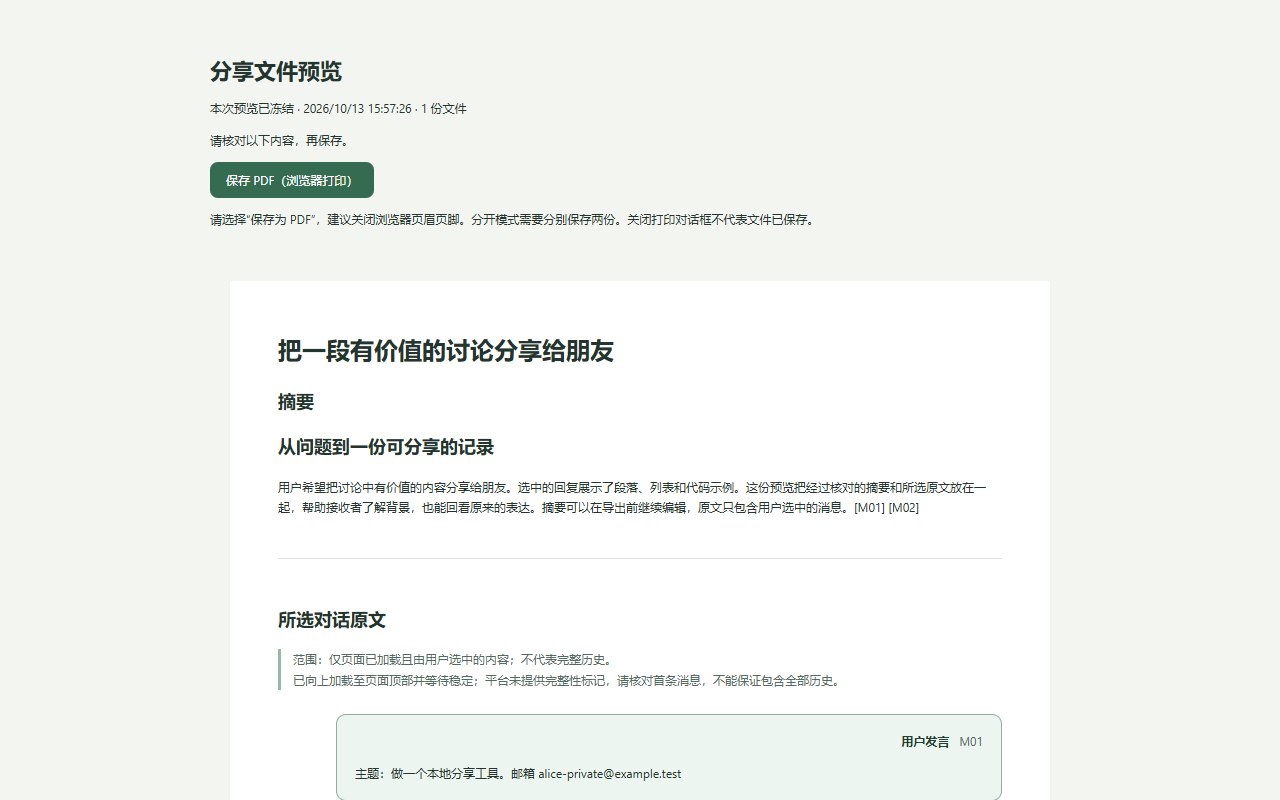
商店截图 · 摘要与原文的 PDF 导出预览(演示对话)
An AI conversation can leave a long trail: useful conclusions, repeated questions, corrections and side paths. You know how each part fits because you were there. Someone opening it halfway through may not.
When I want to share it, the first question is what the other person should actually receive.
Selection comes first
AI Conversation Share starts with choosing messages. Which parts are useful? Which were only experiments? Is there anything that shouldn’t leave the conversation? Content that hasn’t loaded in the original page cannot simply be assumed to be included.
Then comes the question of a recap. Sometimes the original text is clear enough and only needs a sentence of context. A longer discussion may benefit from a summary. That summary should not turn every uncertainty and condition into a confident conclusion.
Keep the recap and original text distinct
The extension keeps both and can export them together or separately. A recap gives a reader a starting point: what was discussed, what came out of it, and what remains unresolved. The original text preserves the details for anyone who wants them.
Generated text can be edited and checked against the source. Recap generation still uses the original AI platform, account and quotas. Local editing and export do not mean that generation happens offline.
An ordinary file can be enough
The outputs are Markdown, TXT and PDF. Markdown is convenient for further edits, TXT is simple, and PDF is easy to read directly. PDF can contain images; image-based Markdown or TXT exports package the text with its image files.
Before sending anything, I still want to check the context, the accuracy of the recap, and whether the original text contains something private. The tool reduces the work, but it doesn’t remove that last review.
That’s the point of making it: a conversation worth keeping can become something worth reading.
PDF export preview using a demonstration conversation.